Palettes: Create Clipping Path + Modify Clipping Path
 Palettes: Create Clipping Path + Modify Clipping Path
Define whether you want to use the general  Allplan Style or the
  US Standard Style.
When you select US Standard Style, you can freely enter the Fileset number to specify the drawing that contains the section. This number will be included in the direction symbol. To delete the text for the fileset number, click  at the end of the box.
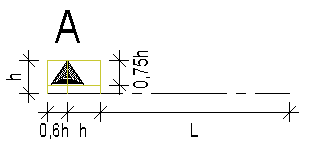
The Continuous clipping line is automatically selected for Drawing in the Clipping line area. You can choose the side on which you want to create the direction symbol in the Direction symbol area. The type and size of the direction symbol will automatically be selected.
Section identifier
Section identifier in construction-line format
Select this option to create a clipping path without a section identifier.
Text parameters
Define the text parameters of the section identifier by clicking the Set button. Allplan places the section identifier at the same angle as the clipping line.
Clipping line
Pen, line, color, layer
Define the format properties for the clipping line and the direction symbols. The section object also uses the layer selected.
Direction symbol
Direction symbol side
If you select the US Standard Style, you specify here whether the direction symbol is created in the direction of the viewing direction on the  left side, on
  both sides or on the
  right side of the section body.
|
(C) ALLPLAN GmbH |
Privacy policy |