Tool(s): Lengthen Lines
To lengthen lines in 3D
Activate Lengthen Lines in one of the following ways
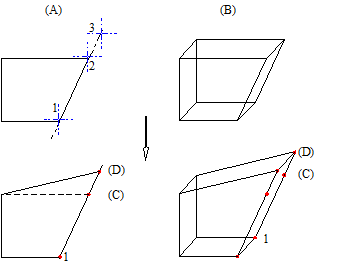
For example: lengthening a 3D edge in elevation
(A) Elevation(B) Parallel projection(C) Old(D) New


 Tool(s): Lengthen Lines
 Lengthen Lines (How).