

|
|
|
Imagine the following situations: You want to change the top layer of the floor from carpet to parquet for a number of rooms with finishing surfaces.
Or you want to assign the underfloor heating attribute to the screed (the first layer of the floor) in several rooms so that these rooms can be analyzed accordingly.
So that you do not need to click each room separately, you can use the  Assign Attributes tool (Attributes task area) in conjunction with the
  Architecture Filter.
To change materials or attributes of finishing surfaces assigned to several rooms
Assign Attributes (How). Properties.
Or:
Click  Assign new attribute and select the required attribute.
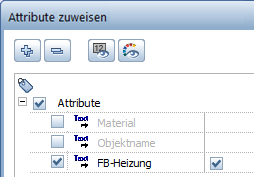
Architecture Filter (How) and then Expand >>.To change the top (third) layer of the floor from carpet to parquet, enter the following filter criterion: Object=Floor&Layer_number=3
To add the "underfloor heating" attribute to the first layer of the floor, enter the following filter criterion: Object=Floor&Layer_number=1
| (C) ALLPLAN GmbH | Datenschutzbestimmungen |

