

|
|
|
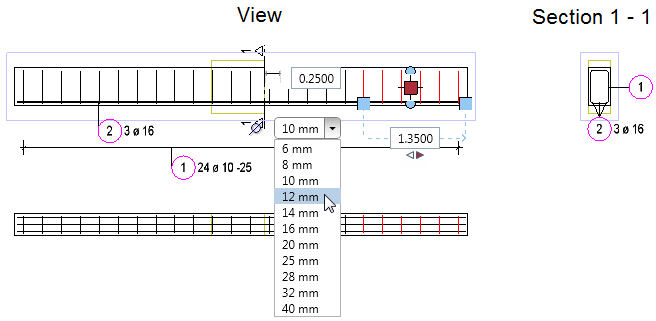
Allplan 2016 offers more options for modifying linear placements using handles. You can now change the diameter by selecting an entry in the list box.
If there are  Point handles, you can also change the dimension that is perpendicular to the placing line. This allows you to change the bending shape without selecting the
  Stretch Entities tool.
Another new feature is the option to modify only a part of the placement. This creates a new placement. When you change the diameter or the bending shape, the modified placement will be given a new mark number.
| (C) Allplan GmbH | Privacy policy |
