

|
|
|
When you stored SmartParts in the library, Allplan automatically assigned the same preview icons to SmartParts of the same type. Although you could change these icons, this involved considerable time and effort.
For example, these were the preview icons for new window SmartParts:
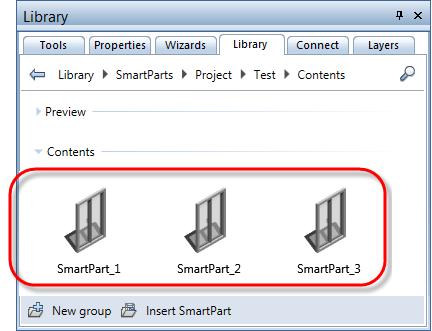
Allplan now provides a new service: as soon as you save a new SmartPart to the library, Allplan will generate a preview icon that is based on the actual SmartPart.
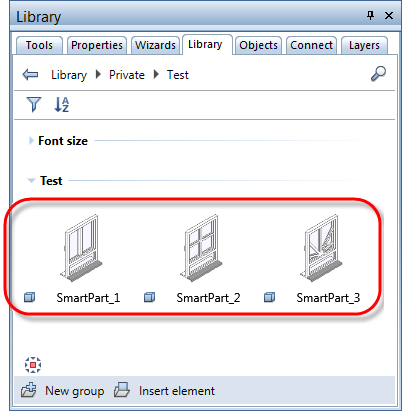
Consequently, each SmartPart gets its own preview icon. So it is easy for you to tell the SmartParts apart.
| (C) Allplan GmbH | Privacy policy |
