

|
|
|
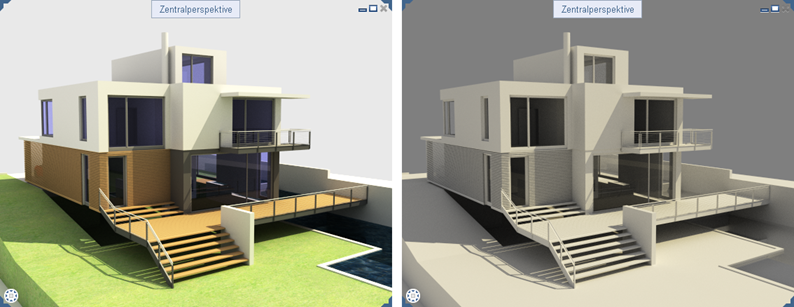
You can use the new White model option for view types using the RT_Render rendering method (for example, the predefined RTRender view type). This option displays your model in the style of an architectural model made of white paper or KAPA® panels.
Using this technique, Allplan automatically masks colored surfaces and textures, displaying the scene using light and dark shades and low contrast. Reflection and transparency are also taken into account.
To display your model as a "white model"
Important!
You must select a view type that uses the RT_Render rendering method.
 Edit view type.
The View type palette opens.
Note: To return to the original settings, just deactivate the White model option again.
| (C) Allplan GmbH | Privacy policy |
