

|
|
|
You can find a new tool in the General: Roofs, Planes, Sections module (Createarea):  Skylight SmartPart. Using this tool, you can create SmartParts for rectangular skylights.
After you have selected this new tool, the Properties palette of the Skylight SmartPart opens on the Elements tab and you can immediately start modeling your own SmartPart. Using the Shading tab, you can assign roller shutters or sunblinds to the skylight.
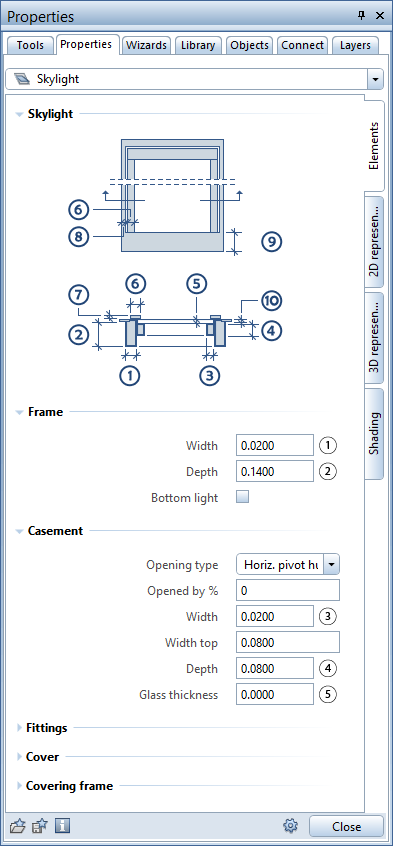
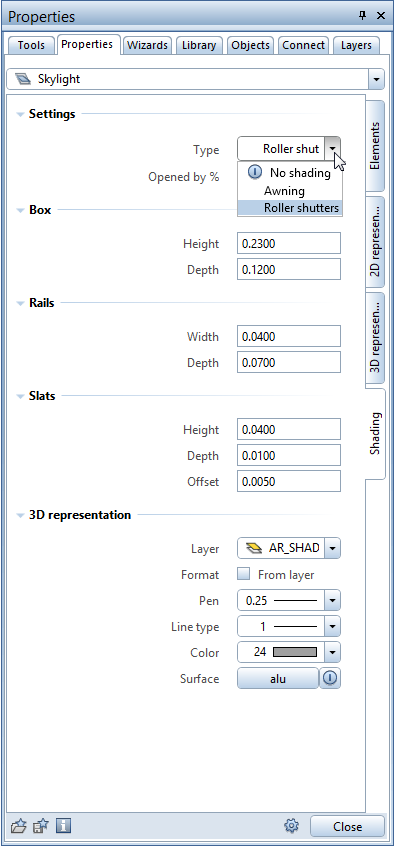
You can insert Skylight SmartParts in rectangular roof openings. Like any other SmartPart, Skylight SmartParts can be modified graphically using handles. Of course, you can also change the parameters using the palette.
You can save your SmartParts as favorite files using  Save as a favorite. You can also add them to the library.
You want to analyze Skylight SmartParts? No problem! Open the  Reports tool and select the Skylights.rdlc file. This report lists the skylights (by opening type) and dimensions of the unfinished openings (width, length, area).
| (C) Allplan GmbH | Privacy policy |
