|
|
|
 Task area Layout Editor
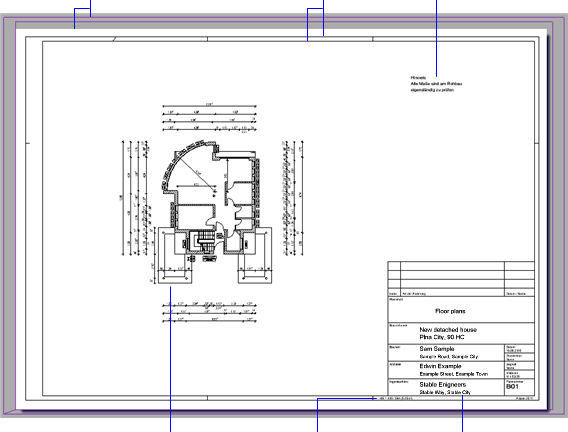
Page and printable area The page represents the area of the layout. The border displays the printable area and the margins of the current output device. The printout includes the documents and elements that are within the printable area of the page and output device. |
Layout border You can choose from several predefined layout borders or define your own ones. |
Text in layout You can add text, dimension lines and design entities to layouts. These elements are visible only in the relevant layout. |
|||
|
|||||
Documents placed in the layout Drawing files can be placed individually or as a fileset in layouts. To achieve congruent placements, all you need to do is click in a document you have already placed. |
Plan size You can find the height, width and area of the layout border between the outer and inner borders. |
title block You can use label styles that adapt automatically to changes. |
|||
|
(C) ALLPLAN GmbH |
Privacy policy |