|
|
|
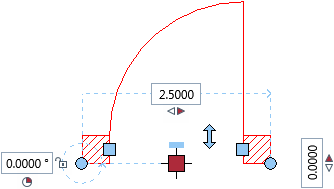
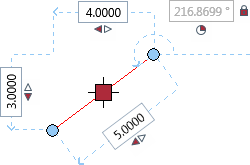
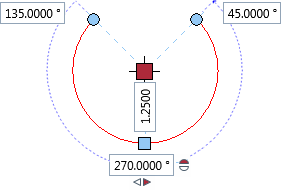
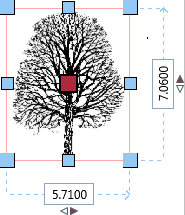
Handles are colored symbols that appear at specific points of selected elements. Handles are context-sensitive and interactive. By clicking these handles, you can modify the geometric properties of elements. The shape and color of a handle indicate what you can do with this handle.
|
|
|
Wall with a door |
Line |
|
|
|
|
Circle |
Bitmap area |
|
This list provides some examples showing you what you can do with handles:
To do this |
Do this |
Move element |
Click the |
Resize element |
Click one of the |
Move element point |
Click one of the |
Delete element |
Select the Del key. |
|
(C) ALLPLAN GmbH |
Privacy policy |