

|
|
|
Using the tools in the Formwork task, you can apply formwork to any concrete object modeled in ALLPLAN. You can find these tools in the Formwork, Layout and Production Data task areas.
You can model the concrete object using all the tools provided by ALLPLAN (Elements task, Modeling task, PythonParts in the Library palette, and so on).
After you have designed a concrete element, all that remains is for the program to apply formwork to the concrete element fully automatically. As an alternative to this automatic feature, you can manually create formwork for the individual areas too.
This process is based on general, configurable rules, which help you control it. For example, you can make settings for joints or fixtures (nailers). You can also create formwork elements which are not directly on a formwork area (for example, supports, bracing, and so on). In addition, these elements can intersect other shuttering boards. After the formwork elements have been generated, you can edit individual elements. These elements are edited in the same way as wall and slab elements. Additional tools are available for creating additional nailers manually, modifying and deleting existing nailers and modifying joints.
When you edit individual formwork elements, the program checks all the changes you make to ensure that formwork and concrete object are identical.
You can create an exploded view for verification purposes. You can subsequently move the automatically placed formwork elements to make the drawing easier to read, where required. This does not move the formwork elements in the model.
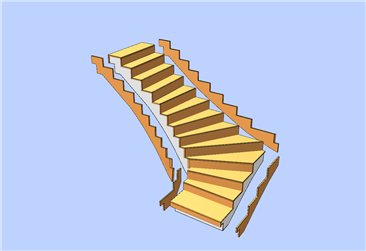
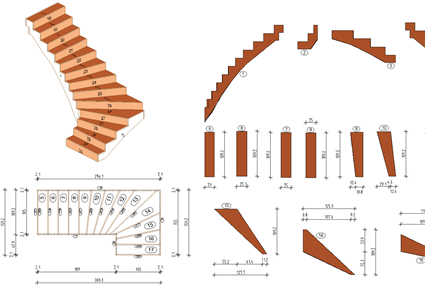
Finally, you can generate production data to be sent to the machine, generate a key plan, lists (reports) and legends. The program transfers the results directly to the machine without information loss.
|
(C) ALLPLAN GmbH |
Privacy policy |

