Palettes Label of palette Generate View / Modify View + Generate Section / Modify Section
 Palettes Label of palette Generate View / Modify View + Generate Section / Modify Section
Text
Here you can define the text parameters for the labeling (font size, type, etc.).
Height / width / ratio of height to width
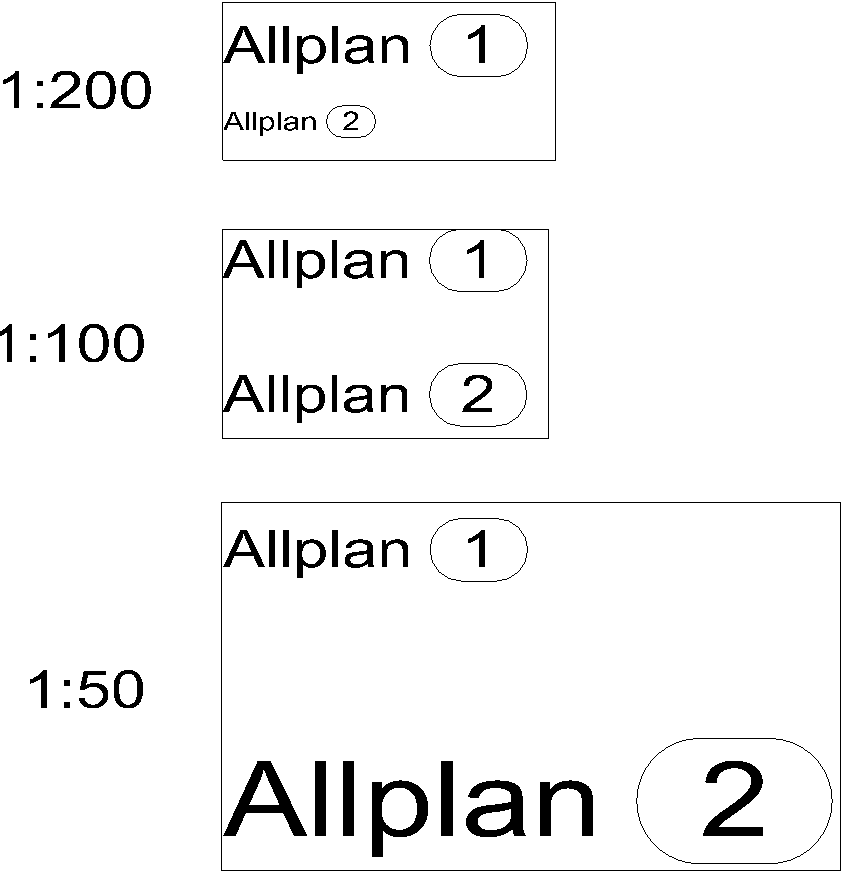
Enter the height, width or ratio of height to width of the text width. Enter the height and width of the text in line with the configured length unit stated in [mm] or [inches]. See also Relationship between reference scale and text size.
If you change one of these parameters, an additional parameter will be automatically changed.
Font
Here you can select the font type. You also have the 20 Allplan fonts to choose from alongside the system fonts.
Emphasis
Here you can define the  Bold,
Bold,  Italic,
  Underline and
  Crossed out formatting for the entire text by clicking on the respective button.
With regard to Allplan fonts, the Bold and Crossed out formats do not have any impact on the text.
Angle for Allplan font in italic type
Define the angle at which text that has been formatted in italics is displayed for Allplan fonts here. If you select Italic formatting, the angle for italic text is automatically set to 71°.
Color
Use this to define the text color. The text color is only displayed in the draft window if the Color stands for pen option is off.
Layers
Specify the text layer.
Frame
Borderline
This is where you set out the form for the border around the item number. When you select Off then the item number is shown without a border.
Miscellaneous
Buttons in the border of the palette
You can find the following tools in the lower border of the palette:
 Match properties: You can match the parameters of existing labeling.
 Load favorite: You can select and load a text favorite file (*.txtfnfx) that you have already saved.
 Save as a favorite: You can save all current definitions as a text favorite (*.txtfnfx).
 Restore basic settings: You can restore the default settings.
|
(C) ALLPLAN GmbH |
Privacy policy |


 Constant size in layout