|
|
|
You can use the new  Split Bars and
  Join Bars tools to edit any number of placements in a single operation.
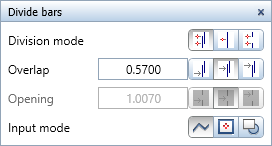
When splitting bars, you can create an overlap, a joint, or an opening along the defined division. You can define the length and position of the overlap or opening. To enter the division, you can select a polygonal dividing line or an opening. As an alternative, you can match a 2D element.
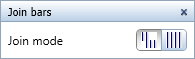
When joining bars, you can define whether you want to combine only geometrically identical placements, which can be projected exactly on top of one another, or also placements with different bar lengths, whose projections are completely within the maximum bar length of the selected placements.
You can join bars only when all spacings are identical.
Initially, Allplan geometrically joins the placements that are perpendicular to the placing lines according to the following criteria.
After this, Allplan sequentially joins the placements that are in the direction of the placing lines according to the following criteria, considering the setting in the Join Bars dialog box.
|
(C) ALLPLAN GmbH |
Privacy policy |