|
|
|
Actionbar Configurator
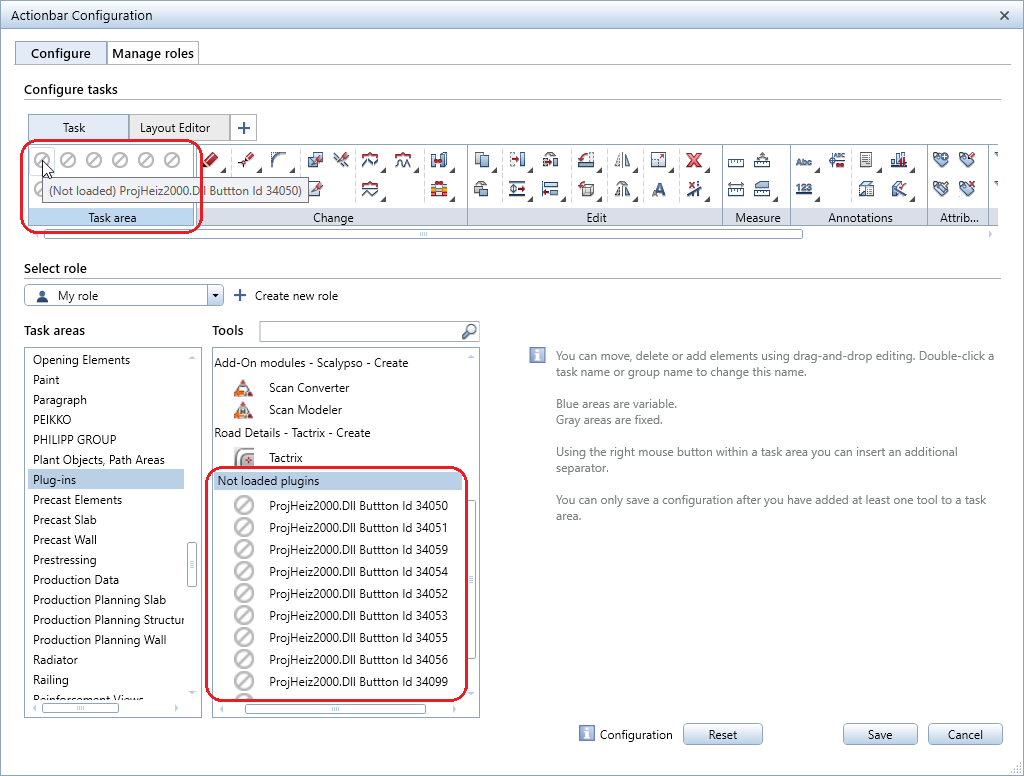
The Actionbar Configuration dialog box - Configure tab shows plug-ins that are configured on the Actionbar but not available in Allplan. To open this dialog box, select the  Actionbar Configurator tool on the right side of the Actionbar. Plug-ins will be included when you save the configuration.actb file. A user can give an Actionbar configuration to another user who can edit it. When the original user gets the configuration.actb file back, this file still contains the plug-ins configured, even if they were not available to the user who edited the file.
Nonloaded plug-ins are visible in Actionbar Configurator, where you can handle them like any other tool. These plug-ins are not visible on the Actionbar.
Shortcut Configurator
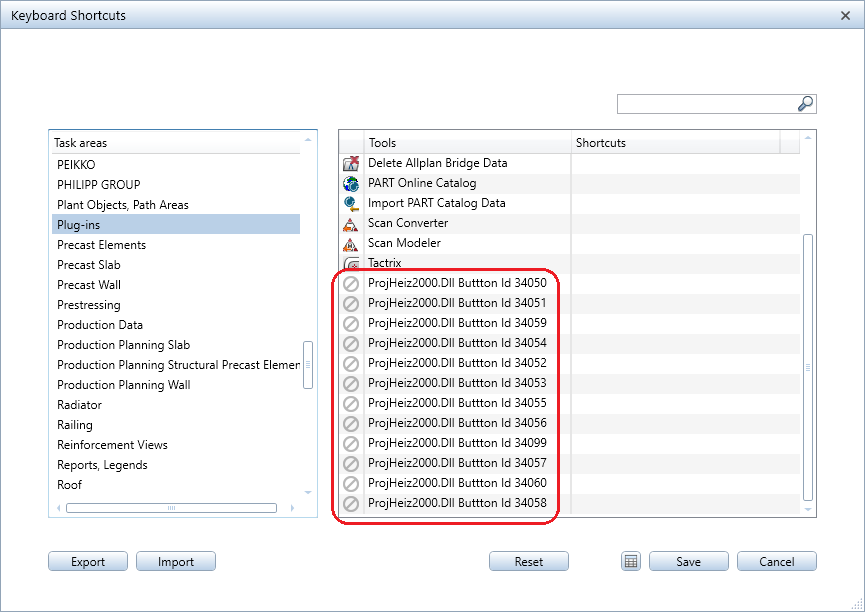
Shortcut Configurator shows plug-ins that are not available in Allplan. You can even assign keyboard shortcuts to these plug-ins. To open Shortcut Configurator, select the  Shortcuts tool in the
  Default Settings drop-down list on the Quick Access Toolbar.
|
(C) ALLPLAN GmbH |
Privacy policy |