|
|
|
You can assign the IFC object type or IFC object subtype when you create a component or later.
To assign an IFC object type or IFC object subtype to a component
 Wall (How), open the Properties dialog box and click Attributes....
Or
Right-click an existing component and select  Modify Attributes (How) on the shortcut menu.
 Assign new attribute.
This adds the IFC object type attribute with the Undefined setting to the Define and Assign Attributes dialog box.
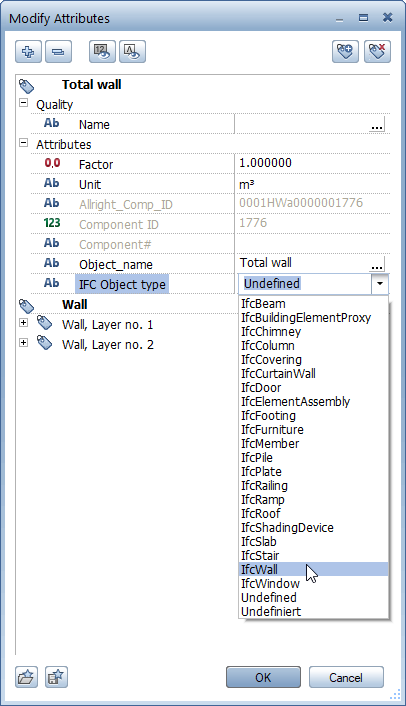
The dropdown list includes the most frequently used 21 IFC object types. If the attribute value you need is missing, click within the line, enter the required attribute value at the keyboard and press ENTER to confirm. The program saves the attribute value entered, presenting it again the next time you select attributes.

Note: There is no selection list for IFC object subtype. Enter the required attribute value in capital letters at the keyboard.
The component now has the required IFC object type or IFC object subtype. This attribute will be included when you export IFC data.
|
(C) ALLPLAN GmbH |
Privacy policy |

 Task
Task