

|
|
|
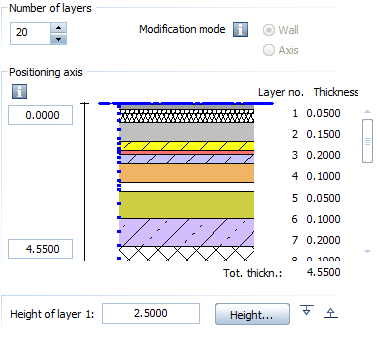
In earlier versions, you could enter up to five wall layers. Now you can define up to 20 layers.
Instead of clicking an icon, you can now use a data entry box to define the number of layers in a wall. As usual, you can specify the height separately for each layer.
Important: in earlier versions, walls could only have up to five layers. If you convert a wall with more than five layers to an earlier version, you get a 3D box for each layer. The geometry of the wall stays the same. Surface elements become 2D surface elements.
The following tools work with up to 20 layers:
 Wall
Wall  Upstand
  Create Walls from Lines
  Apply Archit. Component Properties
 | (C) Allplan GmbH | Privacy policy |